This article describes how to connect to a Stiebel Eltron / Tecalor THZ/LWZ 303/304/404 heatpump and to read and write settings from and to the heating.
This article describes how to connect to a Stiebel Eltron / Tecalor THZ/LWZ 303/304/404 heatpump and to read and write settings from and to the heating.
This article describes how to connect to a Stiebel Eltron / Tecalor THZ/LWZ 303/304/404 heatpump and to read and write settings from and to the heating.
For better understanding: Tecalor is the end customer brand of Stiebel Eltron. In the following the system will be called "THZ"
Tested are Software Versions 4.09, 4.19, 4.39 and 5.39.
Older versions may work but there's no guarantee for.
NOTE: This manual is for persons who are familiar with electronics.
The author and the developer are not liable for any damage and there's no warranty.
ATTENTION!! Since v0.087 the reading names have changed. To have intuitive and consistent reading names the readings names changed to sXXX and pXXXX for status values and parameters in the heating. See readings section for more information.
If you update you sure have to reconfigure readingsGroups, dashboards, and so...
Connection to the heatpump
Local via RS232 or USB
The THZ has two interface which can be used for a connection.
One serial interface behind the right door which can be used with a MNL-SG3 Plug
One USB interface on the electronics board which can be used with a TYPE-B USB cable.
Warning!!! The USB interface is on the back side of the electronics board behind the coverage wich is behind the right door. Do not connect the USB while the system is powered on! Before removing the coverage you have to power off the complete heatpump!!
The baud rates may vary based on hard- and software release between 9600 and 115200 for RS232. For USB it's 57600 or 115200 baud.
More information how to connect to the heatpump with RS232 can be found here: Robert Penz Homepage
Remote connection with Ser2Net
If the FHEM server is not near the heatpump you can connect with Ser2Net. This will provide a virtual serial interface on a TCP-Port
Installation Ser2Net on Linux
To install Serial-Port-Server Ser2Net just follow these steps:
If you don't define the attributes interval_sGlobal and interval_history (or they are 0), the internal polling is disabled. Sure you can also poll with the "at" command outside the module:
define Mythz THZ /dev/ttyUSB0@115200 # or (/dev/ttyXXX)
define atMythzFB at +*00:05:00 {fhem "get Mythz sGlobal","1";;return()}
define atMythz09 at +*08:00:00 {fhem "get Mythz sHistory","1";;return()}
If the connection to the heatpump was successful you should see readings like sGlobal, sFirmware, sHistory and some settings like holiday and pXX parameters.einige PXX Werte angezeigt werden.
sGlobal (ex allFB)
Contains all actual values like water and gas temperatures, fan states, pressures, ...
sFirmware
Shows the firmware release.
sHistory
Contains information to operating hours, e.g. the compressors operating hours.
pHoliday-Werte
Here you can see the settings of the holiday configuration of the THZ. These are used to override the day setback for the give time.
You can change the holiday settings with set.
sLast10errors
Reads the last 10 errors and shows it.
pXX-values & program-values
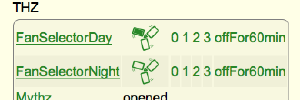
The pXX & program values are settings like the heating circle, fan states, dhw programs and so on. All pXX and program valueas can be changed with the set command. NEW: Now the fanstage-inlet and outlet volumes are read- and writeable.
pOpMode shows the Operating Mode of the THZ. Like Automatic, Setback, ...
party-time
This parameter sets the party time.
While this time range the fan state will change to the in p99FanStageParty stage.
sDHW (ex Status_DHW_F3)
Contains information about the Domestic Hot Water system
sHC1 (ex Status_HC1_F4)
Contains information about the Heatinc Circle 1
sHC2 (ex Status_HC2_F5)
Information of HC2
sSol (ex Status_Sol_16)
Solar Heating System informations
pOpMode (ex OperatingMode)
OperatingMode of the heating. One of: Standby, Automatic, DAYmode, SetBack, DHWmode, Manual, Emergency
If the operating mode should be changed via FHEM, the set command must send the depending mode code like shown above.
sXXX
There are some more "s"tatus readings with show you values like the heat recovery
Plots - graphical views
This shows you how to create plots from the heatpump readings.
Example
Assuming we want to read and plot the outside_temp and the dhw_temp from the sGlobal reading:
Creating the plot in fhem.cfg:
define Plot_Temp SVG FileLog_Mythz:thz:CURRENT
attr Plot_Temp room Heizung
This will setup the plot without any data and maybe with an error message.
Klick on the plot-name to open the plot config windows.
Here you enter the details.
Most important are now the input fields
Below the input mask you find the according readings to Mythz, including sGlobal.
To find the right input value just count the space seperated data. So the value for outside_temp is 5 and dhw_temp is 13 as these are the positions they are on.
This number will be entered into the input field to create the plot with the chosen data.
More information to userReadings can be found in the CommandRef
Notes
A full refresh (of all parameters) is done only at systemstart, very very slowly (not to decrease performance of FHEM), and takes ca 3 or 4 minutes. After that the intervall polling of sGlobal and sHistory register should start.
If the FB-intervall or History-Intervall attributes are lower than 3 minutes, there clould be a concurrency. But that shouldn't cause any problems.
in wintermode roomSetTemp (from sHC1) is given from p01RoomTempDayHC1 and p02RoomTempNightHC1
in summermode roomSetTemp (from sHC1) is given from p01RoomTempDayHC1SummerMode and p02RoomTempNightHC1SummerMode
known Problems
In the FHEM Log you will find messages like this when using Ser2Net:
2014.03.02 09:41:09 1: 192.168.178.50:2003 disconnected, waiting to reappear